Edit a Word document without installing Word.
Guide by FreeSignature · Updated October 9, 2026
Open the free editor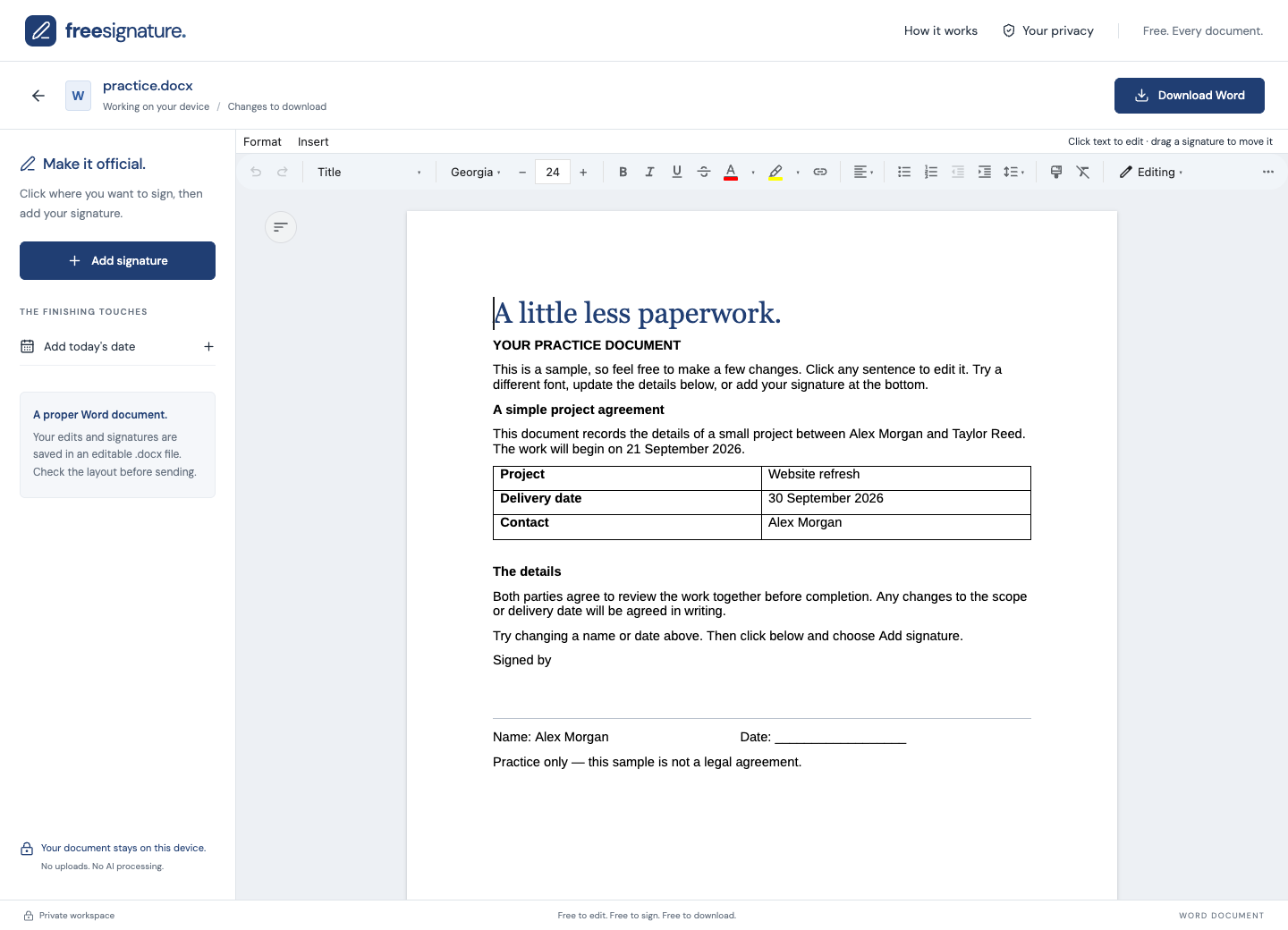
What can I edit?
FreeSignature opens .docx files in your browser so you can change text, adjust formatting, update tables and add visible signatures. Download your finished document as an editable .docx file. You do not need a Microsoft Word subscription or a FreeSignature account.
How to edit a DOCX file
- Open the free editor and choose your .docx file, up to 25 MB.
- Click into the document to correct text. Use the editing toolbar for formatting and table changes.
- Add a signature if needed, then move and resize it into position.
- Download the edited Word copy. Reopen it and review the layout before sharing it.
Will my formatting stay the same?
The editor supports everyday Word documents, but complex Word features and missing fonts can change the layout. Check page breaks, tables and signature positions in the viewer your recipient uses. Keep your original file so you can compare it with the edited copy.
Which Word formats work?
Use .docx, the modern Word format. Older .doc files must first be saved as .docx in another compatible editor. Encrypted files are not supported. FreeSignature does not convert Word documents to PDF.
Try a small edit before using your own file.
Download the practice DOCX and open it in the editor. Change “Website refresh” in the table to “Website review”, update the delivery date, then click below “Signed by” and choose Add signature. Download Word and reopen your copy to check the change.
Download the practice Word documentFictional details only. A practice file, not a legal template. You can also choose “Try a sample document” inside the editor.
No account. No watermark. Review your downloaded copy before sharing.