Edit Word documents.Sign PDFs. For free. Change DOCX text, tables and formatting. Add your signature
No account to create.Just you and your document.
YOUR PAPERWORK, MADE SIMPLE A few edits. A signature. Done. Open the editor, then choose your document.
Open the free editor W Word .docxPDF PDFUp to 25 MB
No watermark. No payment screen. Your document stays on your device
FROM FILE TO FINISHED
1 Open it. Choose a Word document or PDF inside the editor.
2 Make it yours. Edit Word text, or add text to a PDF. Place your signature where it belongs.
3 Download. Done. Keep your finished document. No payment screen at the end.
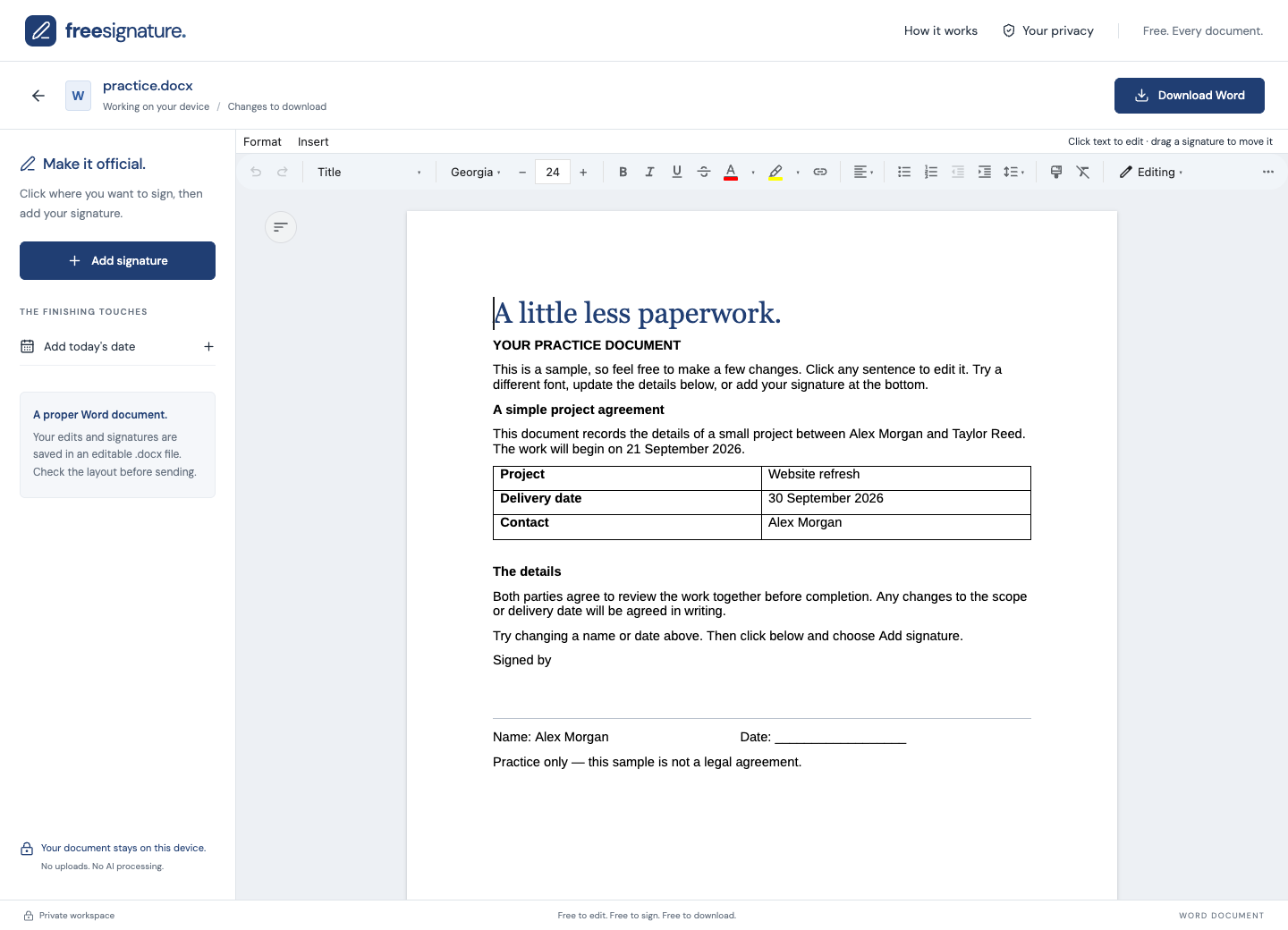
A small tool for a familiar headache. Your files stay yours Documents are processed on your device. Word editing included Edit text, tables, and formatting. Sign as many times as you need No watermarks. No document limits. Choose the right tool for your file. A real FreeSignature workspace using a made-up practice document. Edit the document text, then place your signature. A LITTLE HELP WITH WORD FILES You don’t need Word to finish your Word document. Open a .docx file in the editor and click into the text to make changes. Adjust the formatting, update a table, or correct a detail before signing. You can draw your signature, type it, or use an image, then place it in the document. Reuse it wherever another signature is needed.
Download an editable .docx copy when you’re finished. Check its layout in the recipient’s viewer: complex Word features and fonts can look different. Older .doc files need to be saved as .docx first, and Word-to-PDF conversion is not included.
Edit and sign your document Help with the next piece of paperwork. Your files are private. Your choices matter. Operator and contact: FreeSignature is operated by AIVA . For privacy questions, email aiva@aiva.is . If you contact us, your email address and the information you choose to send are used to respond to your enquiry. Please do not send private documents or signatures.
Your documents: files and signatures are opened only in a separate, isolated editor embedded on this website. They are processed in your browser and are not uploaded to our servers or sent to Google. The editor does not load Google Analytics or third-party ad scripts. Download your work before closing it.
This public website: if you allow analytics, Google Analytics receives information about visits, device/browser information, and clicks to open the editor. Google receives network information, including an IP address, as part of those requests. We remove query strings and fragments before loading analytics and do not send the referring page URL. Advertising personalization and Google Signals are disabled in our tag configuration.
Advertising: this public website loads Google AdSense to support the free tool. Google and its advertising partners may use cookies, device information, and IP addresses to serve and measure ads. Advertising choices are managed separately through Google’s privacy messages and Ad privacy choices. Rejecting analytics does not turn off advertising. Advertising scripts do not run in the document editor.
Cookies and preferences: analytics is off until you allow it. Analytics cookies are limited to this public hostname and configured to expire after 90 days. Your choice is remembered in this browser for up to 180 days. Use Cookie settings to reject analytics later; this clears our analytics cookies and refreshes the page to stop the loaded tag. If browser storage is blocked, your choice applies for this page visit.
Google processes analytics data according to its own policies, and processing may take place outside your country. Learn how Google uses information from sites that use its services . Hosting requests also disclose ordinary request information to Netlify. Direct sponsor banners, when present, are local images and do not load an advertising network script.
Got it