Sign a PDF. Keep the file on your device.

What does the PDF signer do?

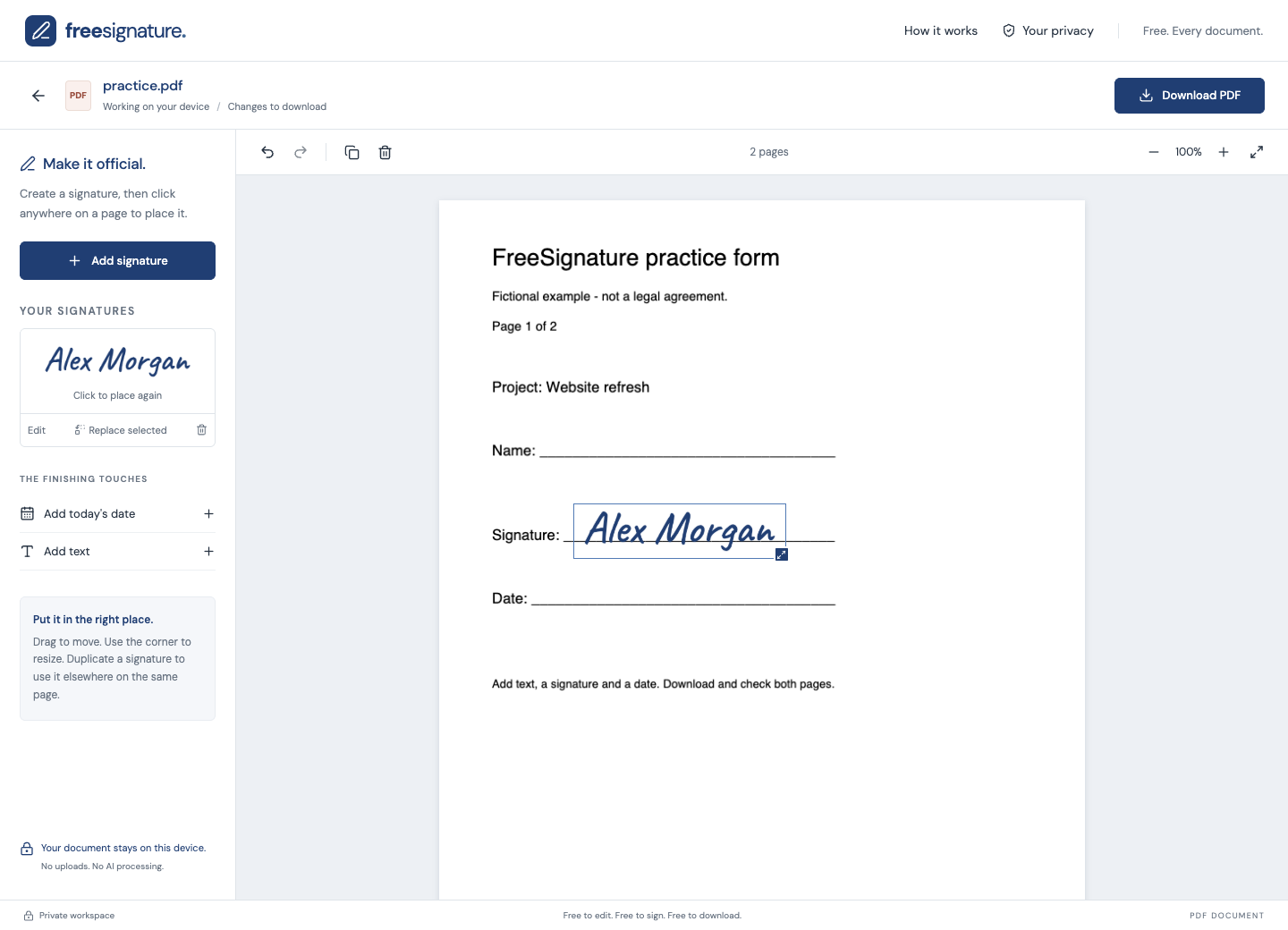
FreeSignature adds visible signatures, text and dates on top of PDF pages. You can place items on multiple pages, move them into position, and download the finished PDF for free. Document processing happens in your browser, without uploading the PDF to our servers.

How to sign a PDF

  1. Open the free editor and choose a PDF up to 25 MB.
  2. Create a signature by drawing, typing, or uploading a signature image.
  3. Place the signature on the page, then move and resize it to fit the signature line.
  4. Add text or a date where needed. Go to the other pages and reuse your signature.
  5. Download the PDF and open the saved copy to check every signed page.

Can I edit the original PDF text?

No. The PDF tools add new items over the page; they do not rewrite its existing text. FreeSignature does not provide OCR or secure redaction. Covering text with an added item does not remove the information underneath.

Are there limits or watermarks?

Files can be up to 25 MB. There is no per-document charge, account requirement or added watermark. Encrypted PDFs are not supported. This is a visible-signature tool, not identity verification or certificate-based digital signing.

Open the free editor

No account. No watermark. Review your downloaded copy before sharing.

Help with the next piece of paperwork.

Edit a Word document without installing Word.Add your signature to a Word document.Sign a PDF. Keep the file on your device.A few useful things to know.
Less paperwork between you and your day.
© 2026 FreeSignature

Your files are private. Your choices matter.

Your documents: files and signatures are opened only in a separate, isolated editor embedded on this website. They are processed in your browser and are not uploaded to our servers or sent to Google. The editor does not load Google Analytics or third-party ad scripts. Download your work before closing it.

This public website: if you allow analytics, Google Analytics receives information about visits, device/browser information, and clicks to open the editor. Google receives network information, including an IP address, as part of those requests. We remove query strings and fragments before loading analytics and do not send the referring page URL. Advertising personalization and Google Signals are disabled in our tag configuration.

Advertising: this public website loads Google AdSense to support the free tool. Google and its advertising partners may use cookies, device information, and IP addresses to serve and measure ads. Advertising choices are managed separately through Google’s privacy messages and Ad privacy choices. Rejecting analytics does not turn off advertising. Advertising scripts do not run in the document editor.

Cookies and preferences: analytics is off until you allow it. Analytics cookies are limited to this public hostname and configured to expire after 90 days. Your choice is remembered in this browser for up to 180 days. Use Cookie settings to reject analytics later; this clears our analytics cookies and refreshes the page to stop the loaded tag. If browser storage is blocked, your choice applies for this page visit.

Google processes analytics data according to its own policies, and processing may take place outside your country. Learn how Google uses information from sites that use its services. Hosting requests also disclose ordinary request information to Netlify. Direct sponsor banners, when present, are local images and do not load an advertising network script.